Configure RADIUS Servers for Mideye Server 4
Overview
Section titled “Overview”Need to configure RADIUS server settings for MFA authentication? This guide explains how to modify RADIUS server parameters in Mideye Server 4, including UDP ports, rate limiting, user lockout policies, and custom authentication messages.
Built-in RADIUS Servers
Section titled “Built-in RADIUS Servers”Mideye Server 4 comes with two pre-configured RADIUS servers:
| Server | Purpose | Default Port |
|---|---|---|
| StandardRadius | Handles all VPN and network authentication requests | UDP/1812 |
| WebAdminRadius | Internal use by Mideye Web Admin only | Do not modify |
Additional RADIUS servers can be added to listen on different UDP ports for specialized use cases.
StandardRadius: This RADIUS server will automatically be assign to all created RADIUS client. The default port is udp/1812, but can be changed if necessary.
WebAdminRadius: RADIUS Server used by Mideye Web Admin and should never be altered with.
Modify StandardRadius Server
Section titled “Modify StandardRadius Server”Open Configuration Tool and navigate to RADIUS Servers. Select StandardRadius and click “Modify”.
Server Configuration
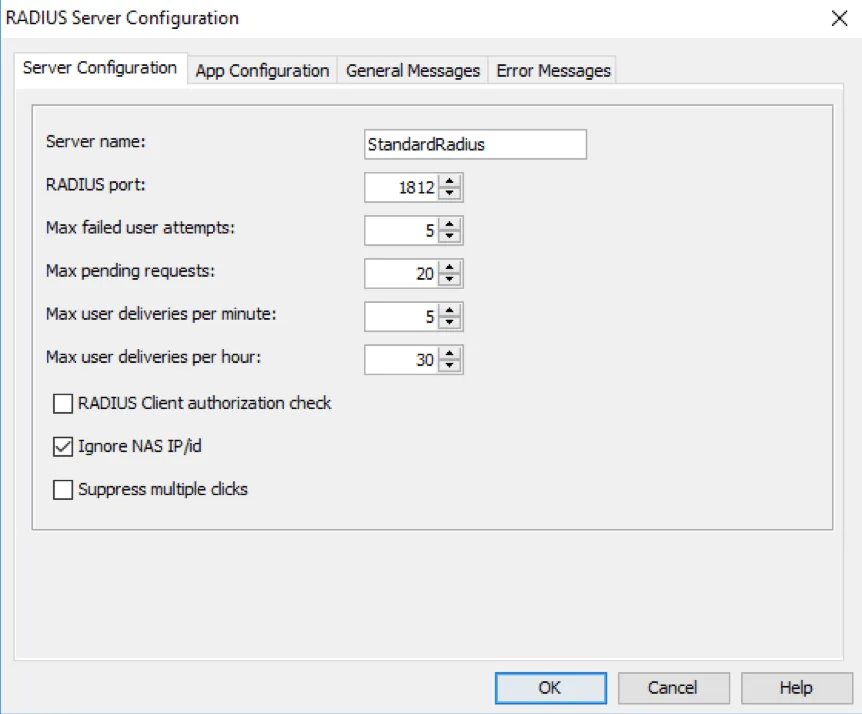
Section titled “Server Configuration”Server name: Friendly name of the RADIUS Server. RADIUS Port: Default value is udp/1812 but can be changed if necessary. Max failed user attempts: Failed authentication attempts before database user account will be locked. Default value is 5. Max pending requests: Number of pending requests before Mideye Server drops all requests that reaches above the configured value. Once requests go below the value it will continue to handle all requests. Default value is 20. Max user deliveries per minute: Maximum number of deliveries per minute from one unique user before Mideye Server drop the requests. Default value is 5. Max user deliveries per hour: Maximum number of deliveries per hour from one unique user before Mideye Server drop the requests. Default value is 30.
Suppress multiple clicks: This feature suppresses multiple-click logins in RADIUS clients. It is enabled by default and can be configured via Mideye Configuration Tool, tab Radius Servers. Having this feature enabled prevents users from receiving numerous consecutive OTPs if they mistakenly keep pressing the login button in the client.
Modify StandardRadius Server
General Messages & Error Messages
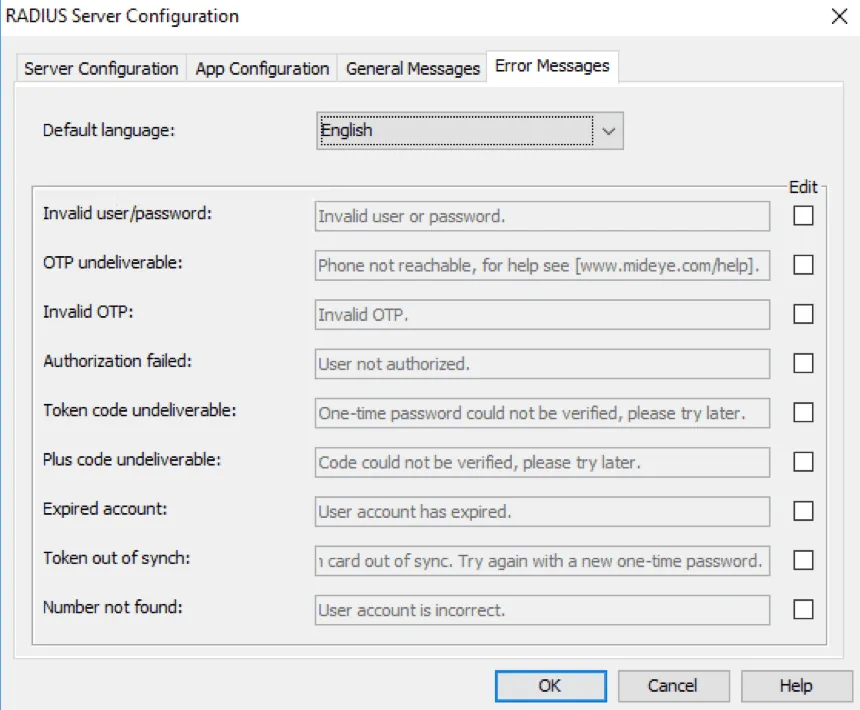
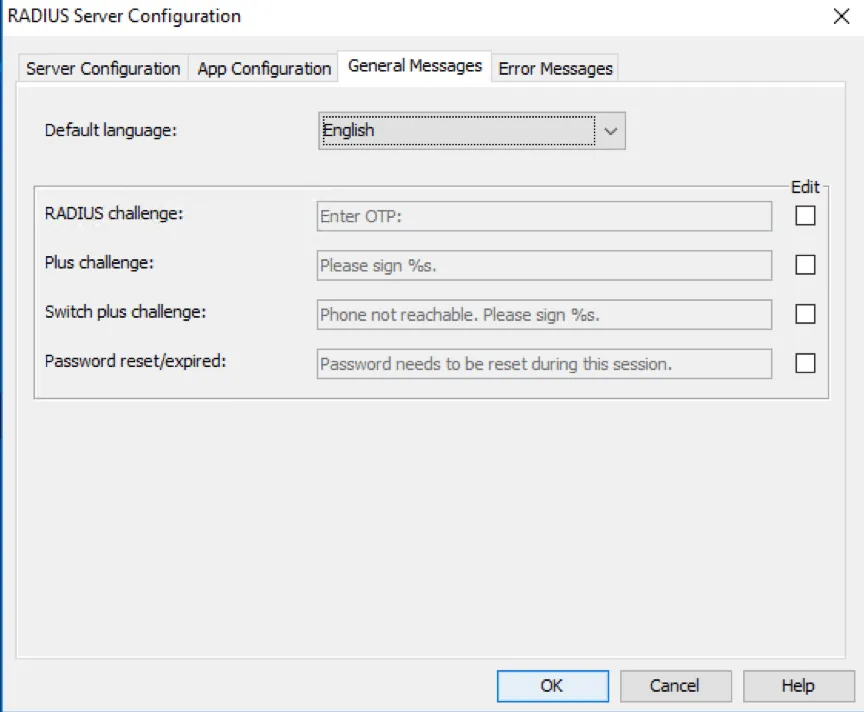
Section titled “General Messages & Error Messages”By default, all messages sent from Mideye Server will be shown in English. In the drop down menu, Swedish, Norwegian and Finnish are also supported languages. To further customise the messages, click “Edit”.
Customise messages sent by Mideye Server
Customise messages sent by Mideye Server